Oracle E-Business Suite RUP 12.2.11 is the latest release from Oracle and upgrading to this version comes with it’s distinct set of issues. And I did run into quite a bit of those during our engagement with a customer.
These may be specific to certain operating systems, like, for example, un-setting environment variables in RHEL Linux 8, 64 bit, which will otherwise cause 12.2.11 RUP to fail during re-linking application executables(Part 3) or the curious case of AD executables going “corrupt”(Part 2).
This blog is dedicated to the issues before the Online Patching Enablement phase. The other two blogs, regarding the issues faced in the later part of upgrade, will follow this.
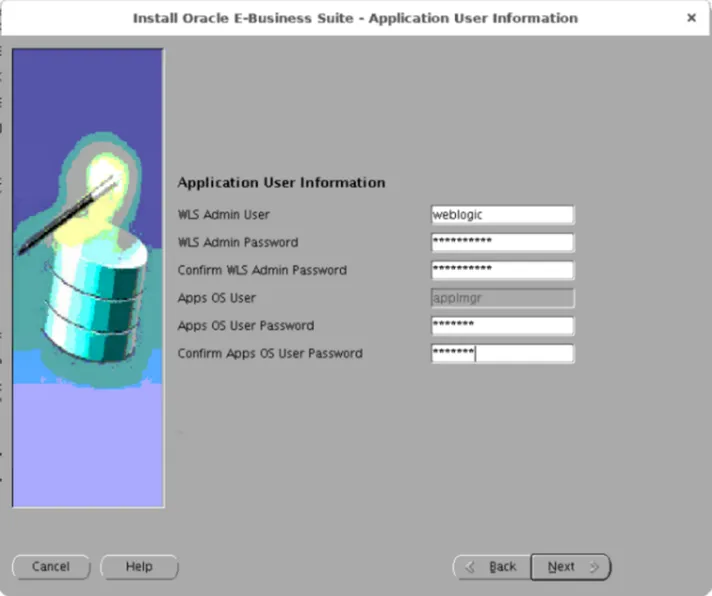
1. Password field greyed out during 12.2.0 file system installation
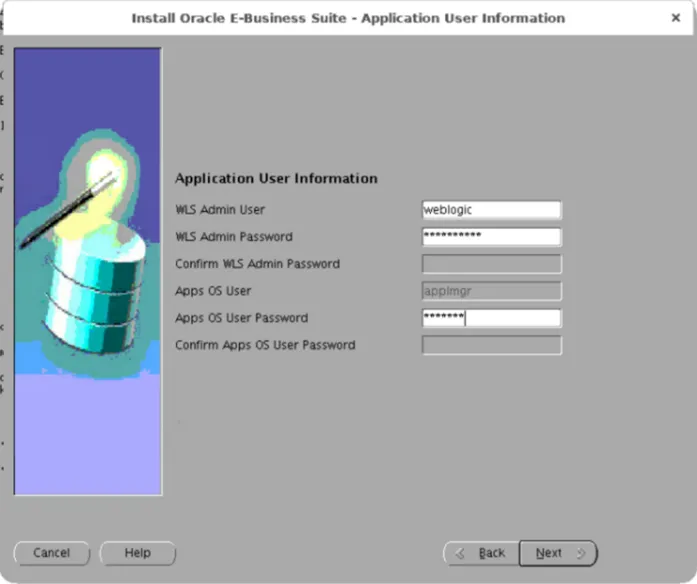
Solution:
Modify /etc/hosts to include Application server information.
127.0.0.1 localhost localhost.localdomain localhost4 localhost4.localdomain4
::1 localhost localhost.localdomain localhost6 localhost6.localdomain6
IP fully.qualified.hostname hostname
2. AutoConfig fails to initialize timezone information
The scripts in question are
$ORACLE_HOME/appsutil/install/SID_hostname/afdbprf.sh
$ORACLE_HOME/appsutil/install/SID_hostname/adcrobj.sh
which fail with
ERROR:
ORA-01804: failure to initialize timezone information
Solution:
Edit template ad8idbux.env in $ORACLE_HOME/appsutil/template as shown –
ORA_TZFILE=”$ORACLE_HOME/oracore/zoneinfo/timezlrg.dat”
To
ORA_TZFILE=”$ORACLE_HOME/oracore/zoneinfo/timezlrg_32.dat”
When AutoConfig is run after making the change, environment file is created with the new value of ORA_TZFILE.
3. Upgrade driver failed on Oracle Service Contracts scripts
12.2.0 upgrade driver u_merged.drv failed to execute the following OKS scripts:
OKSCVTIM.sql
OKSCTIMZ.sql
OKSRTIME.sql
e.g.
ATTENTION: All workers either have failed or are waiting:
FAILED: file OKSCVTIM.sql on worker 1.
ATTENTION: Please fix the above failed worker(s) so the manager can continue.
The error captured in the Worker’s log files is as shown below -
okc_timevalues_b tgs,
*
ERROR at line 79:
ORA-06550: line 79, column 13:
PL/SQL: ORA-00942: table or view does not exist
ORA-06550: line 60, column 9:
PL/SQL: SQL Statement ignored
Solution:
These errors can be ignored when upgrading from release 12.1.3 release 12.2 versions, ref. Doc ID 2805834.1.
Choose Option 8 from AD Controller Menu(skip the Worker) and continue with the patch.
4. Upgrade Driver log file warning related to a product
The reason for mentioning “a product” instead of “the product” is because it’s product specific.
AutoPatch warning:
Error while inserting into AD_TRACKABLE_ENTITIES
ABBREVIATION … ghg
NAME ……….. Oracle Environmental Accounting and Reporting
TYPE ……….. product
BASELINE …….
CODELEVEL ……
ORA-01400: cannot insert NULL into (“APPLSYS”.”AD_TRACKABLE_ENTITIES”.”CODELEVEL”)
Solution:
Check if records of the product in question exist in AD_TRACKABLE_ENTITIES, FND_APPLICATION and FND_PRODUCT_INSTALLATIONS.
If yes, which was in our case, ignore the warning, ref. Doc ID 2166160.1.
 AninditaK
2 thoughts on “Upgrade to Oracle EBS 12.2.11 — issues and solutions part 1”